Model Availability Test
Definition of Model Availability Test
Model availability test aims to verify whether custom inference use cases written by users based on this document can be executed successfully on NPU.
How to Perform Model Availability Test
- Follow the instructions in the Model Availability Test Run Script section below to write your script. Note: Only model adaptation repository administrators with repository hardware type set to npu can submit model availability test applications.

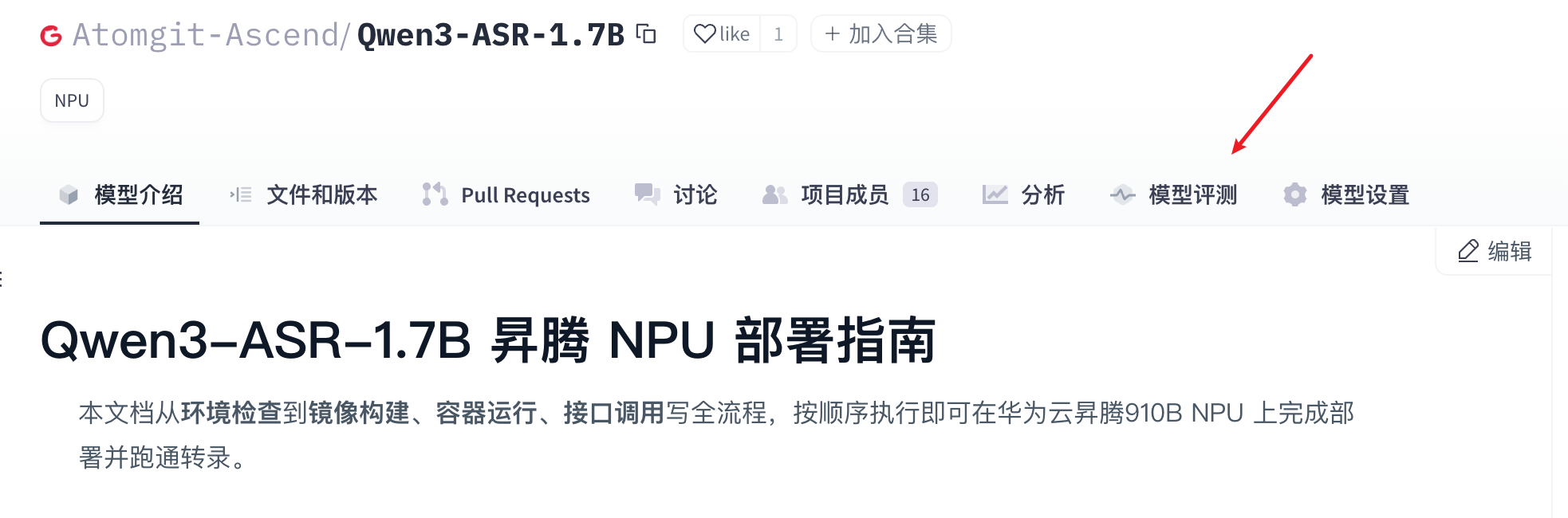
- Click the Model Evaluation tab to enter the Model Evaluation page.
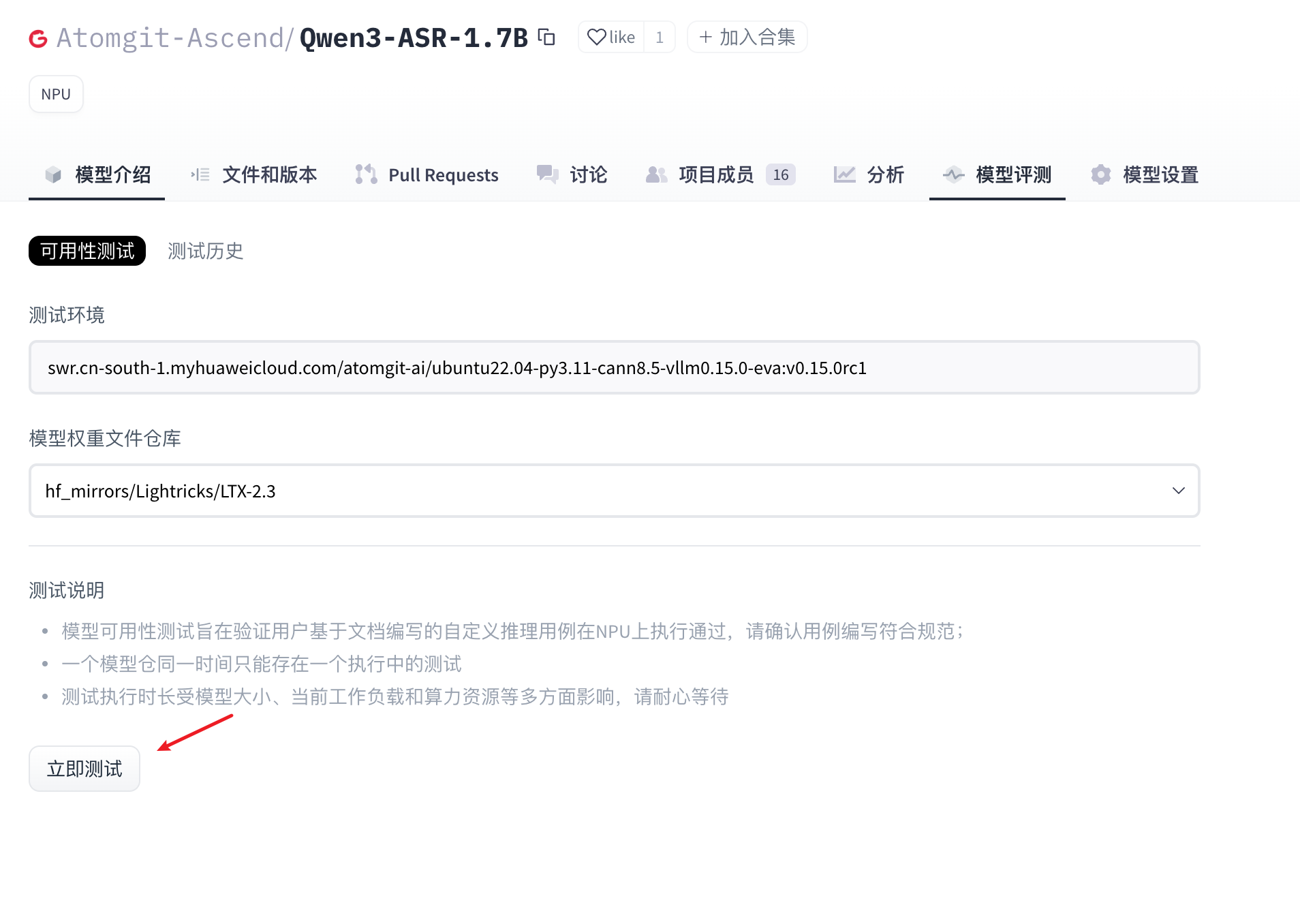
- On the Model Evaluation page, click the “Availability Test” tab, select the model weight file, then click “Test Now” to initiate the test.
- Wait for the model availability test case to complete.
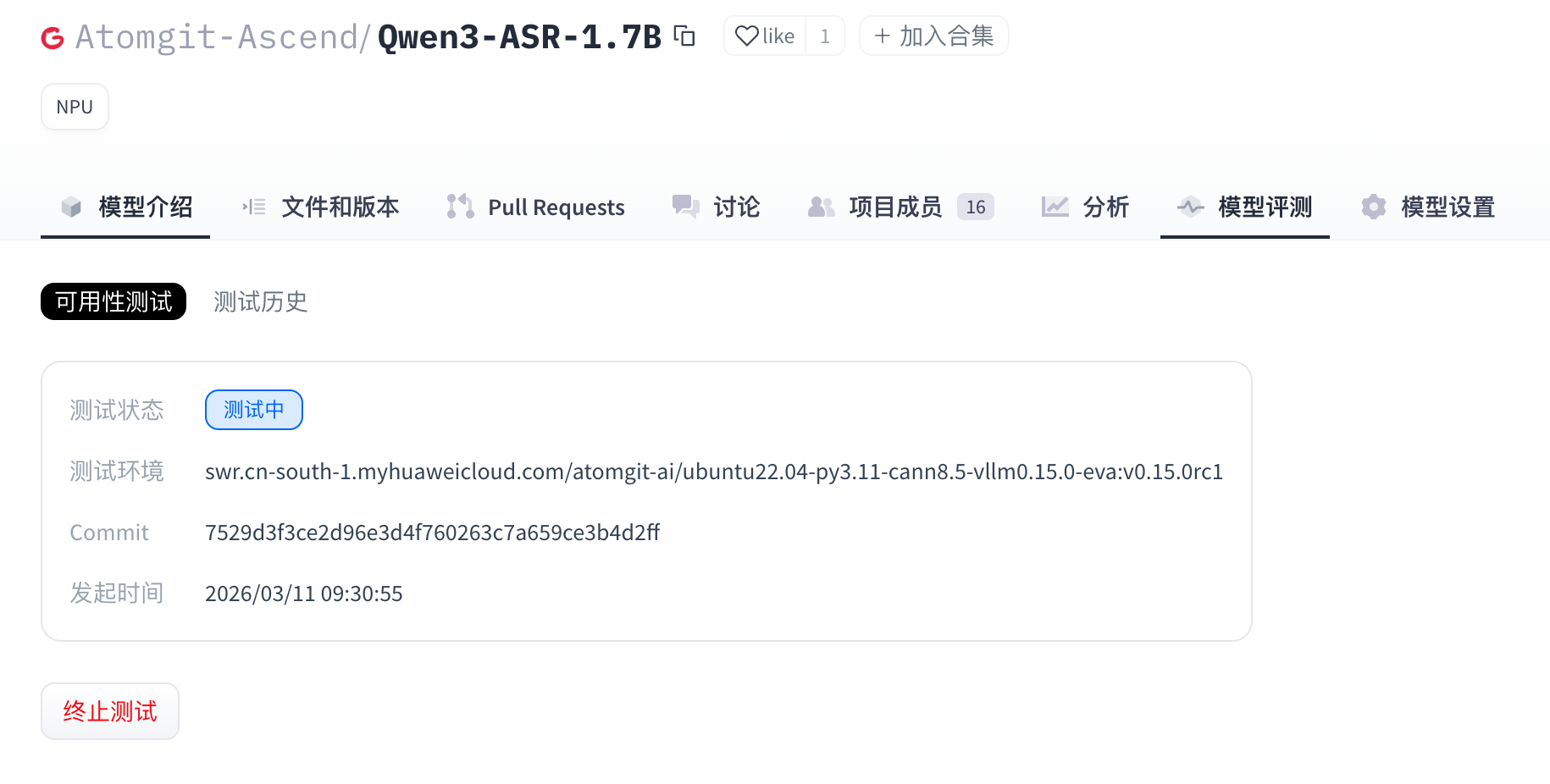
- (Optional) When the model is in “Testing” status, users can click “Terminate Test” to manually stop the test.
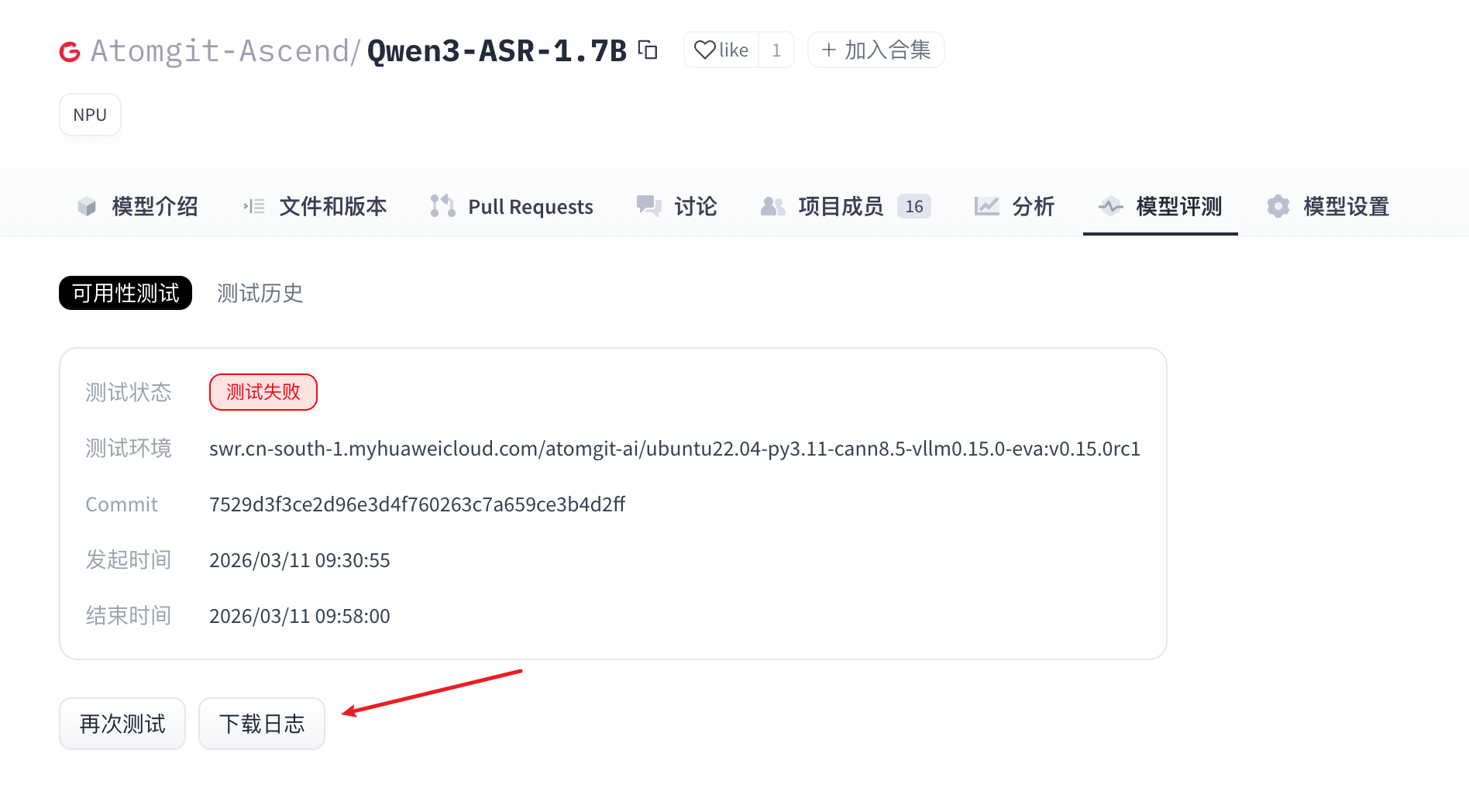
- When the model evaluation is complete, the execution results are displayed in the “Availability Test” section. Log download and test result viewing are also provided.
Model Availability Test Run Script
The model availability test script uses deploy.sh as the entry point. Script writing must strictly comply with the specifications in this document.
The model availability test script must include the following two files:
- requirements.txt: The corresponding modules required to run the script (if no dependencies need to be installed, this file is not required).
- deploy.sh: The model evaluation service uses this script to install dependencies and start the model adaptation project.
File Locations
requirements.txt and deploy.sh must be located in the repository root directory.
requirements.txt File (Optional)
Configure the corresponding dependencies required to run the script on NPU. Torch_npu, Cann, and Python are provided by the environment based on the selected framework version, so these dependencies should not be added again in requirements.txt (which may cause dependency installation conflicts). Example format for library dependencies:
transformers==4.37.0
accelerate==0.27.2
If no additional dependencies are needed, the .txt file may be omitted, and the test task will skip dependency installation.
deploy.sh File
This file is a shell script that executes and starts the model adaptation inference. There are no strict restrictions on how the inference script runs. The following are the script specifications.
Dependency Installation Example (Optional)
python3 -m pip install --upgrade pip setuptools wheel
Constructing Input Parameters for the Execution Script
Model weights are downloaded by the automated test execution side based on the model weight repository selected on the page when initiating the model evaluation. In the shell script, if you need to pass the weight path, you can obtain the path where the weight file is located through the environment variable “$MODEL_PATH”. For example, when starting a vllm project, the model path is passed as follows:
vllm serve "$MODEL_PATH" --trust-remote-code --tensor-parallel-size 1 --dtype float16 --max-num-seqs 4 --gpu-memory-utilization 0.95
Adaptation Code Requirements
The adaptation inference code must provide a standard OpenAPI inference interface, and the HTTP server port must be: 8000. The model evaluation service will call the corresponding inference interface for model evaluation based on the task type of the selected model weight file.
Currently supported evaluation task types are as follows:
| Task Type | Task Code | Inference Interface Path |
|---|---|---|
| Text Generation | text-generation | /v1/chat/completions |
| Image to Text | image-text-to-text | /v1/chat/completions |
| Text to Speech | text-to-speech | /v1/audio/speech |
| Multimodal | any-to-any | /v1/chat/completions |
| Automatic Speech Recognition | automatic-speech-recognition | /v1/audio/transcriptions |
| Embedding | embedding | /v1/embeddings |
Note: If the adaptation framework uses vllm startup, this rule can be ignored, as the vllm framework already provides standard inference interfaces according to the OpenAPI specification.
Model Weight File Size Limit
- Size Limit: 100GB
- Restriction: The storage size of the adapted model weight file must not exceed the limit.
- Impact: If the limit is exceeded, model weight file download will fail, directly causing the model evaluation task to fail.
Full Workflow Code Example
deploy.sh
- vllm adaptation verification example:
#!/bin/sh
set -e
echo "=== MODEL_PATH set to: $MODEL_PATH ==="
vllm serve "$MODEL_PATH"  --trust-remote-code --tensor-parallel-size 1 --dtype float16   --max-num-seqs 4  --gpu-memory-utilization 0.95
Note: The above example uses vllm startup. There is no need to set –served-model-name, as the model evaluation service will automatically use the model weight path as served-model-name.