How to Start OpenClaw
This page describes how to start the OpenClaw service with one click from the website console.
Features
The following large language models are supported:
- GLM-5 - Zhipu AI’s latest flagship model
- Qwen3.5 - Alibaba Cloud Tongyi Qianwen enhanced model
You can configure model access in OpenClaw settings after startup.
Steps
Step 1: Open the console
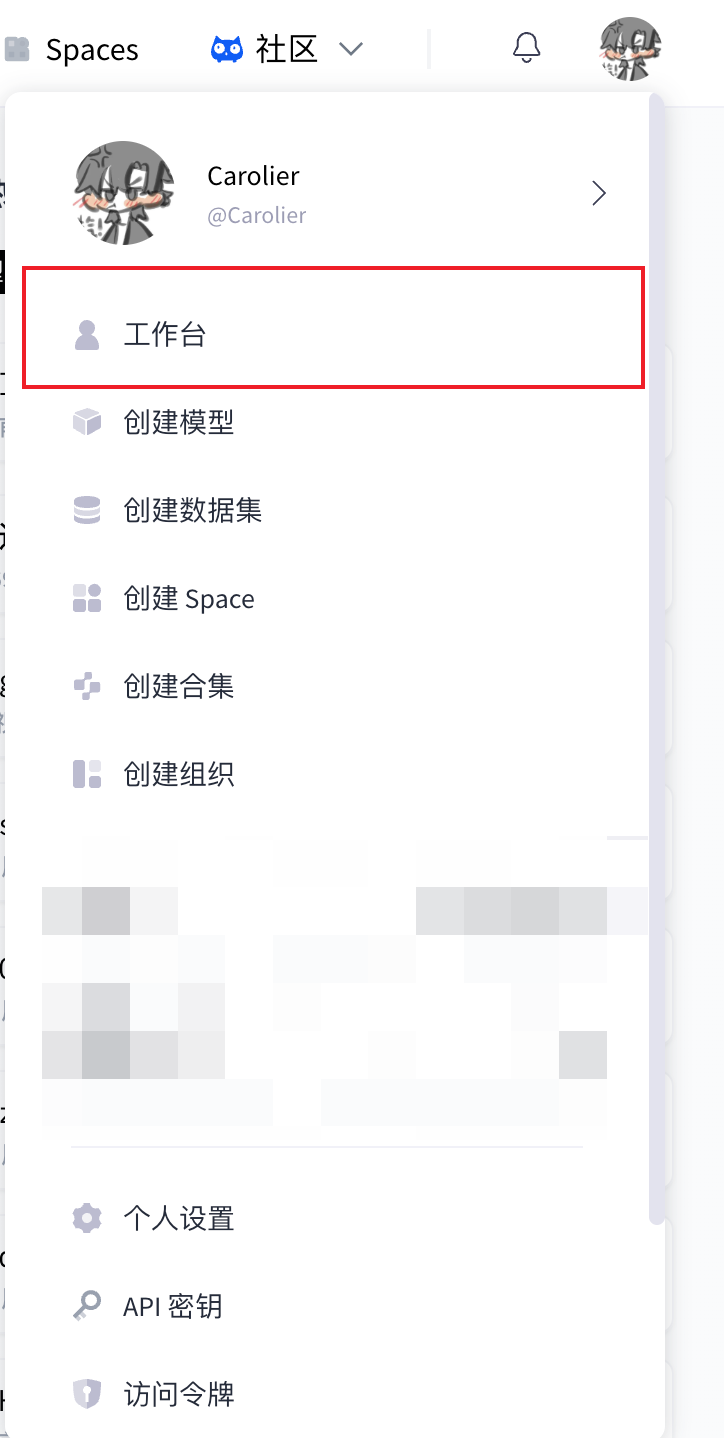
Click your avatar in the top-right corner of the page, then select Console from the dropdown.
Step 2: Open the OpenClaw management page
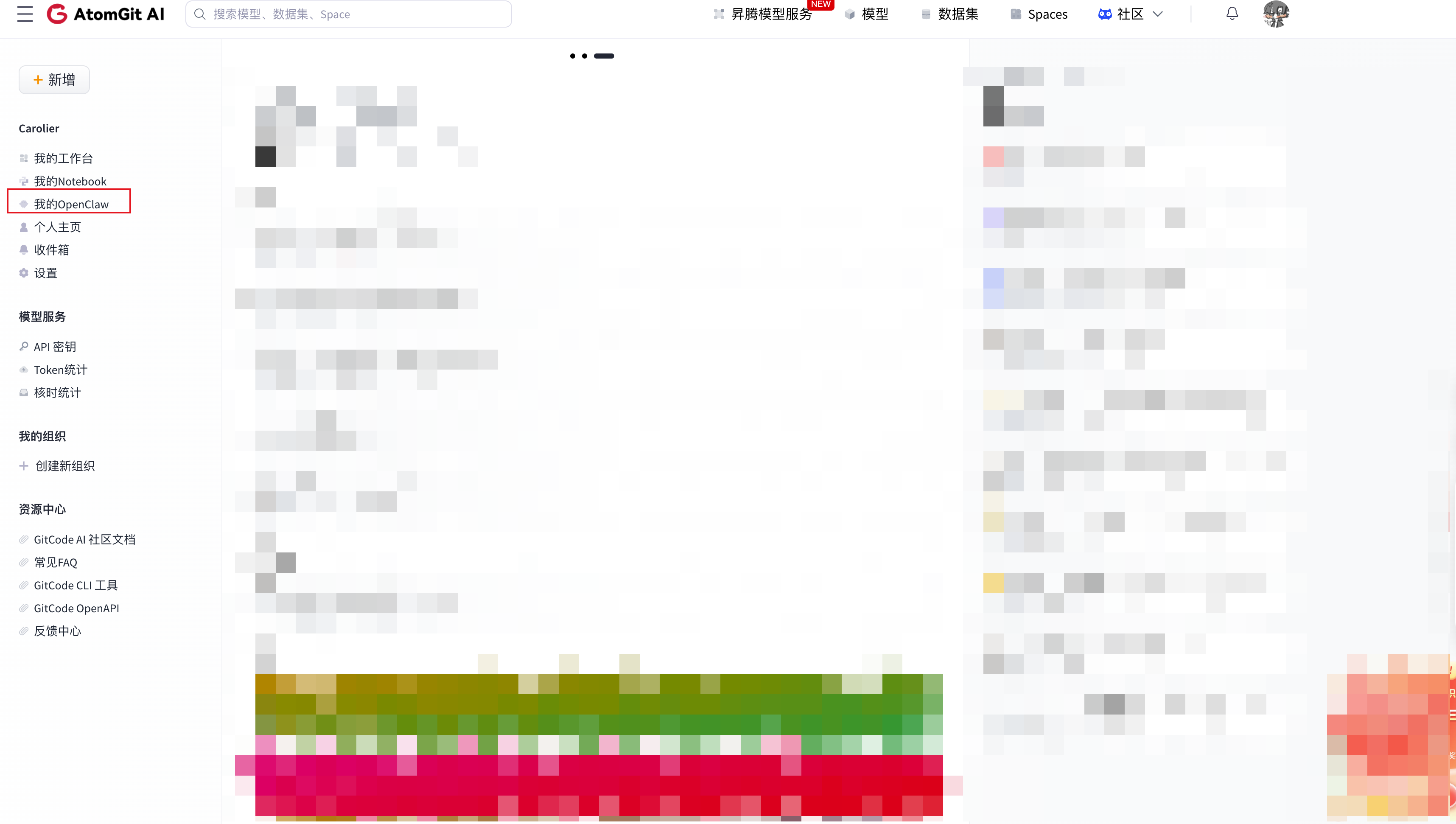
In the left sidebar of the console, click My OpenClaw.
Step 3: Start OpenClaw
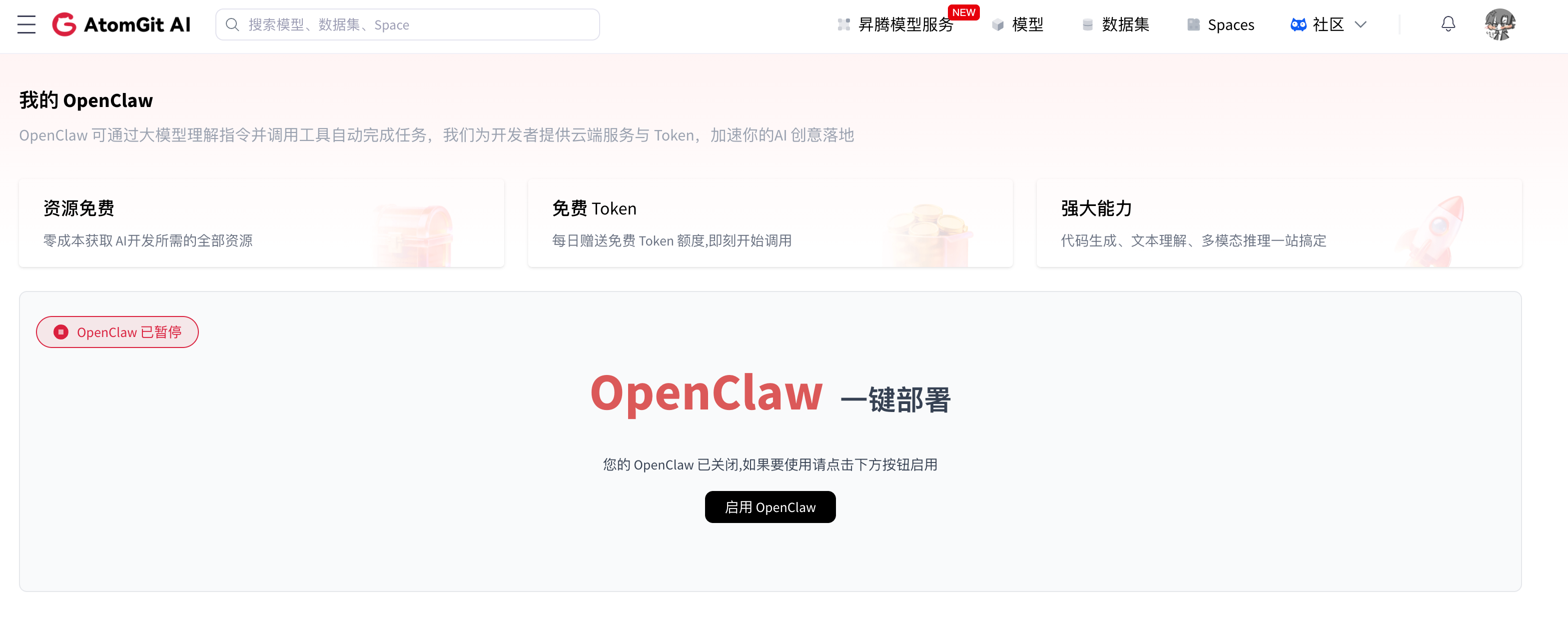
On the OpenClaw management page, click the Enable OpenClaw button.
Step 4: Check startup status
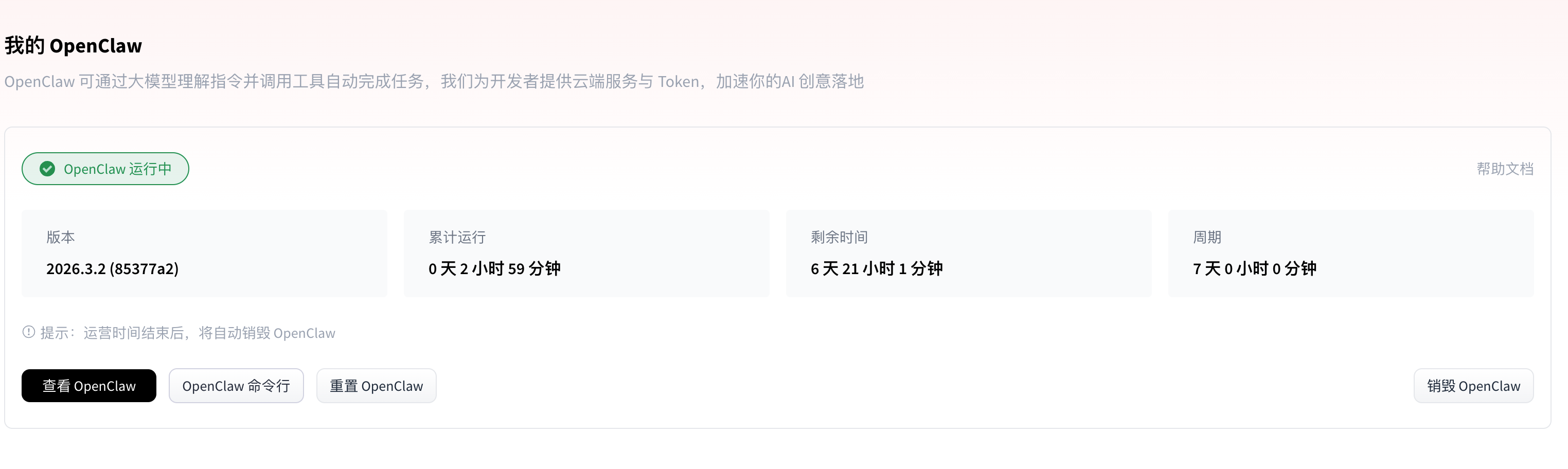
After a successful start, the page shows OpenClaw information:
- Run status
- Access URL
- Resource quota
Step 5: Access OpenClaw
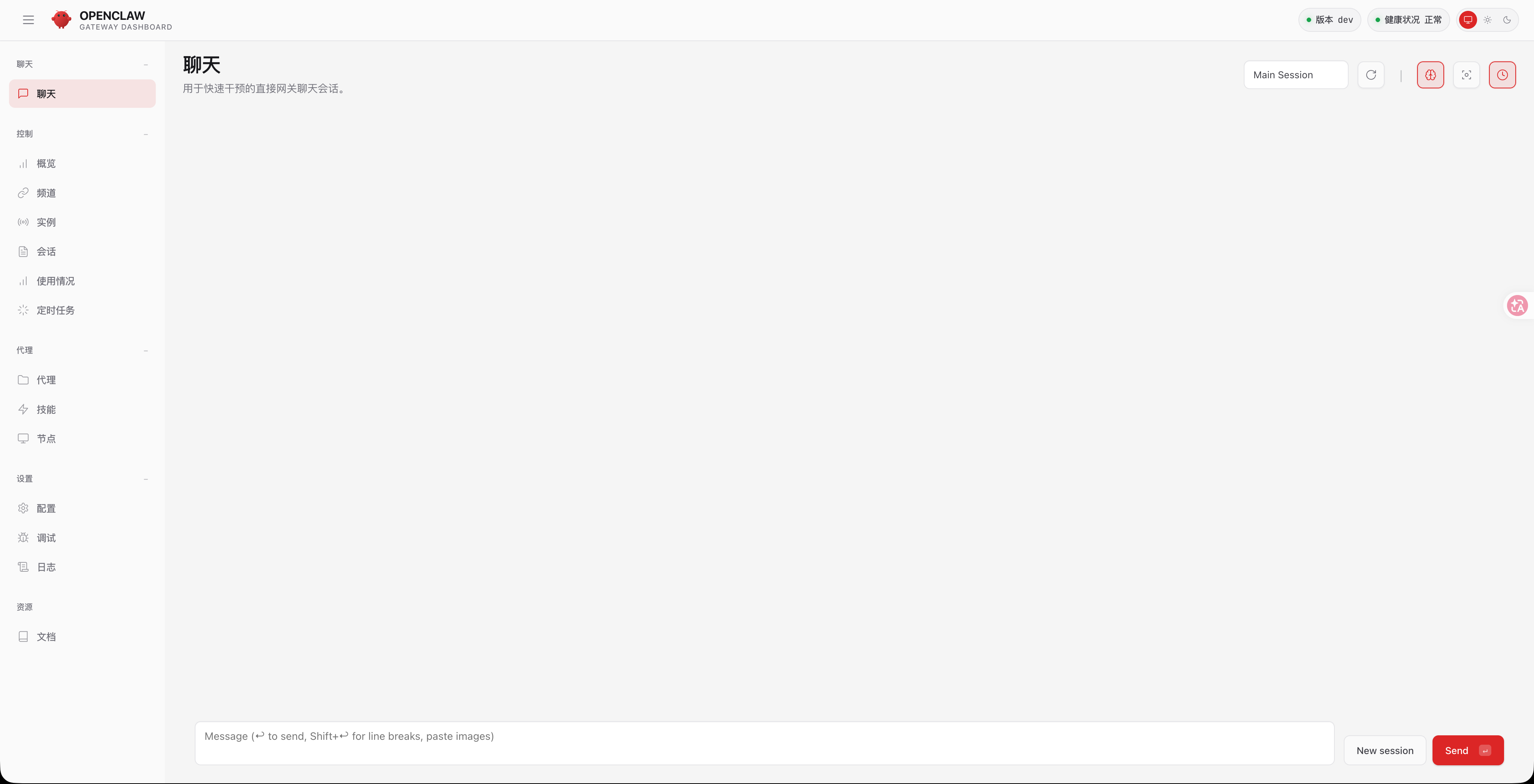
Click View OpenClaw to open the OpenClaw web interface and start using the agent service.
Next steps
After starting successfully, you can:
- Configure Lark (Feishu) integration to connect the agent to a Lark bot